
PDF app for Windows · built in-house at Way Technology
Every PDF job. One clear window.
Open it, read it, fix it, sign it, send it. Easy PDF does what used to take Adobe Acrobat, PDF-XChange, PDFill and Smallpdf, behind big buttons with plain words on them. Anyone in the office can use it on day one, without training.
Internal software for Way Technology companies. Shown here as a showcase, not sold.
Easy PDF was made to replace four separate PDF programs inside Brian Way's companies with one that older and non-technical staff can pick up straight away. There are no logos or testimonials on this page because it is an in-house tool, not a product for sale.
See it in action
Sign it, snap it, send it.
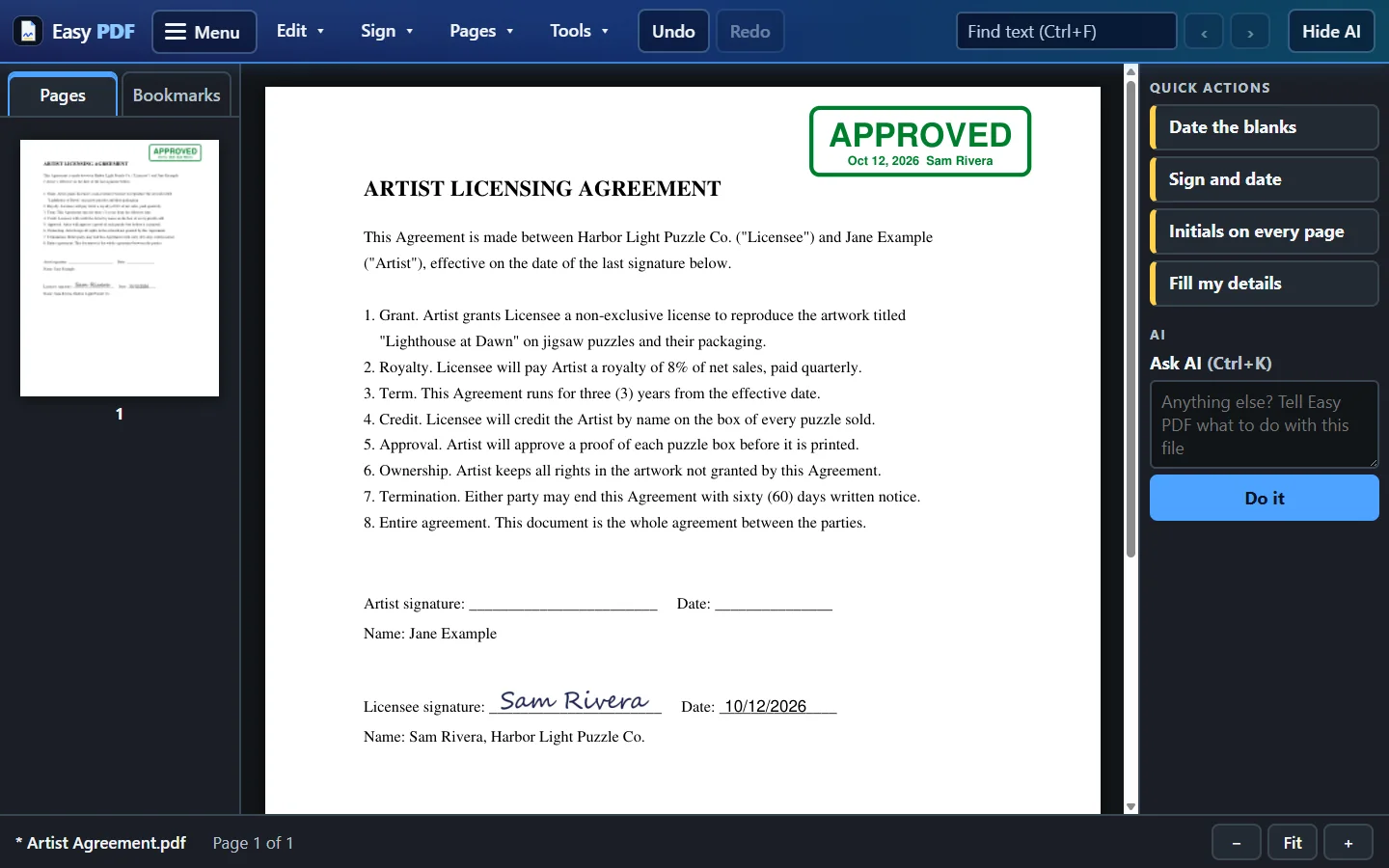
Twenty-five seconds of the real app on a sample contract. One click signs and dates your line on the last page. A click near any line drops your signature onto it. Send for Signature puts the other side's boxes on their line for you.
The job it does best
Click Sign. It finds the line.
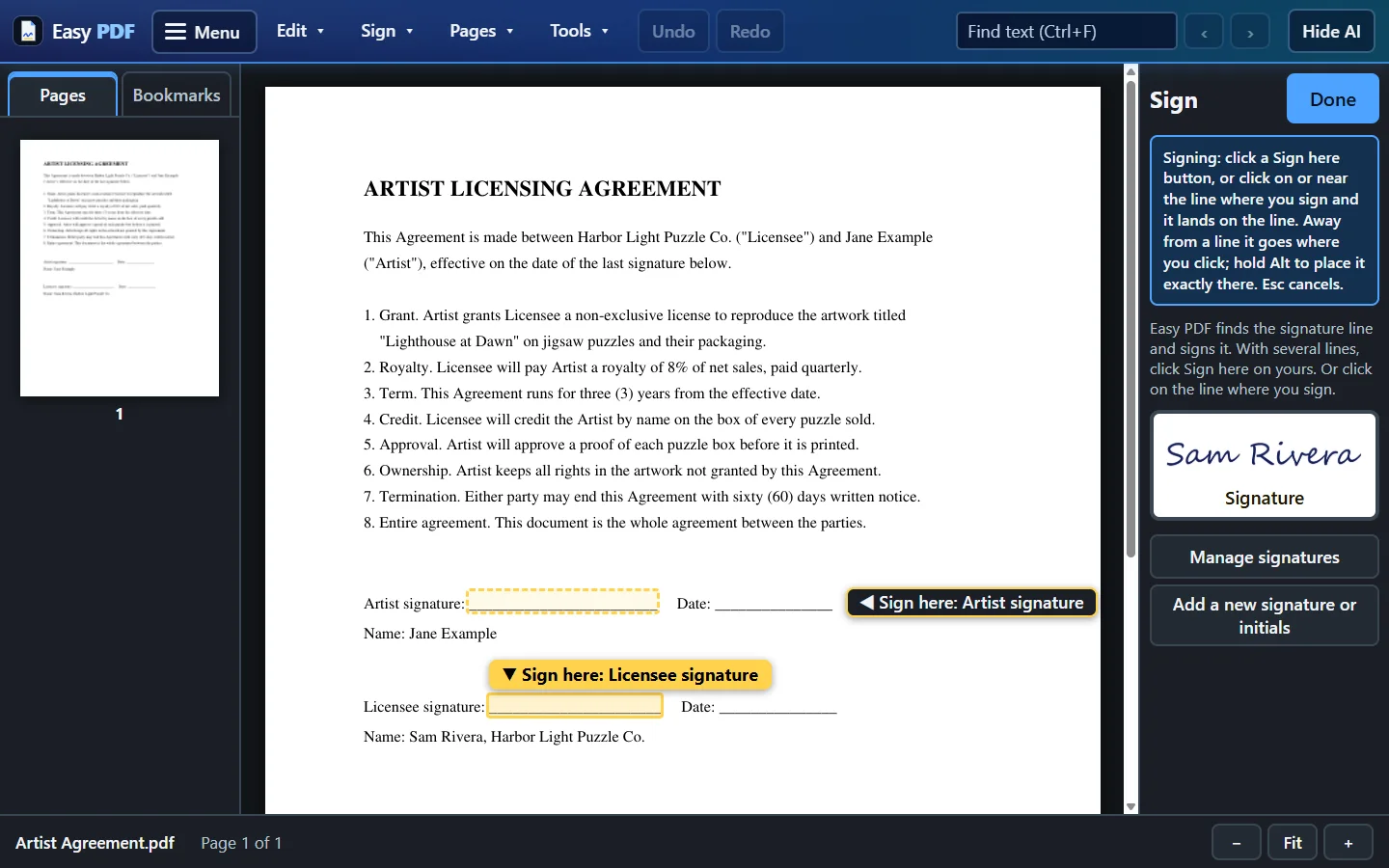
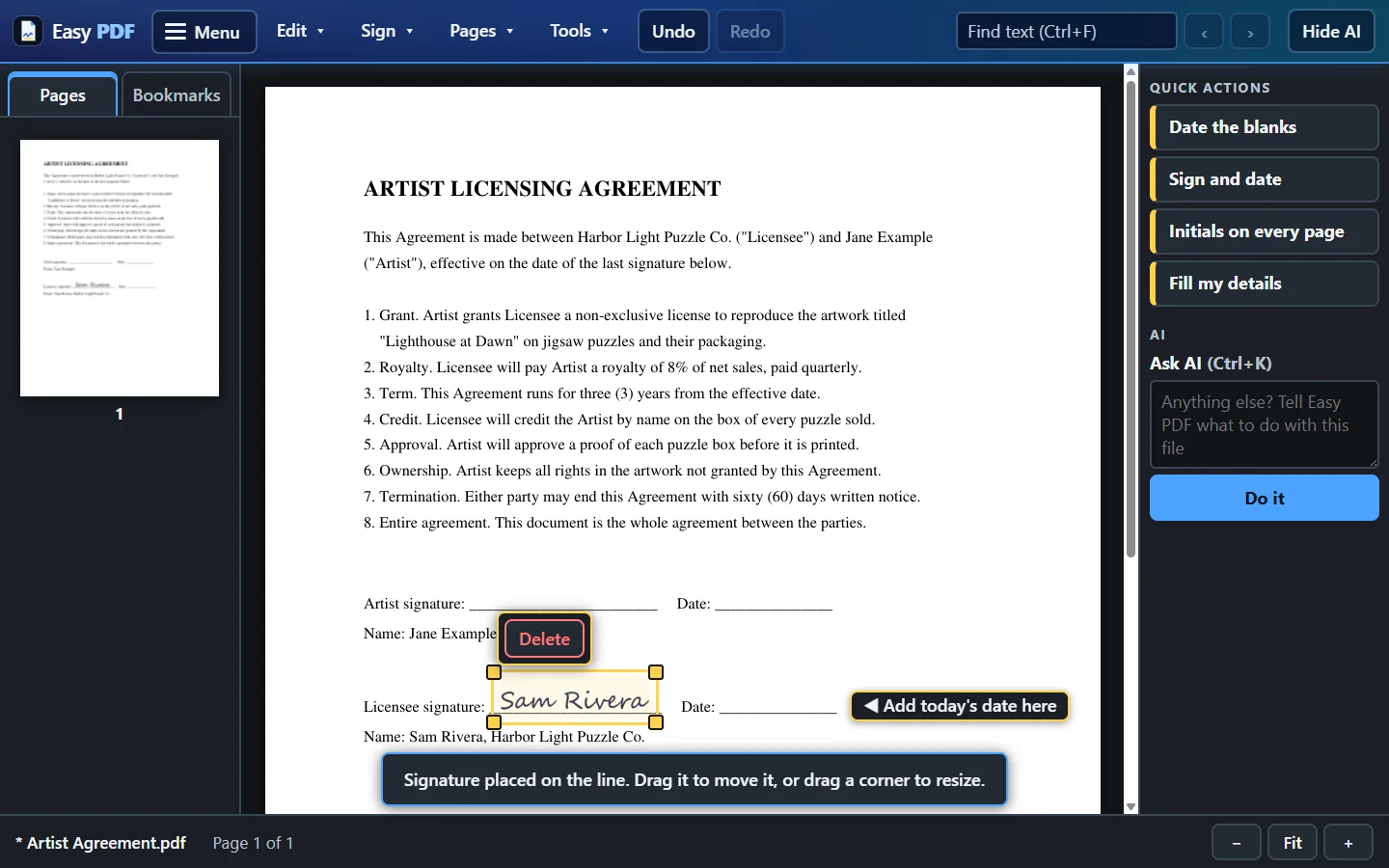
Save your signature once. After that, Sign looks through the whole document for the signature line, wherever it is, and puts your signature on it the way a person would sign. When there are two lines, it offers a Sign here button on each and picks the one that is yours. Then it offers to put today's date on the Date line beside it.
Sign
Your saved signature, placed on the line in one click. Drag it or resize it if you want it somewhere else.
Date the blanks
Today's date goes into every Date blank in the document at once.
Initials on every page
Your saved initials on every page in one click, instead of forty clicks on a long contract.
Fill my details
Your saved details typed into the blanks that ask for them.
When someone else has to sign
Send it for signature without another subscription.
Choose Send for Signature and Easy PDF places the signing boxes on the other party's lines for you. They get an email with a link, sign in their browser, and a sealed signed copy comes back. The signing service runs on Way Technology's own server, so contracts are not handed to a third-party e-signature company.
Step one
Boxes placed for you
- Finds the other party's signature and date lines
- Puts the right box on each one
Step two
They sign from an email
- A link in their inbox, nothing to install
- Signature Requests shows who has signed
Step three
The sealed copy comes back
- Easy PDF spots a fully signed contract when you open it
- Offers an Approved stamp for your records
- Never writes over the sealed original
Ask AI
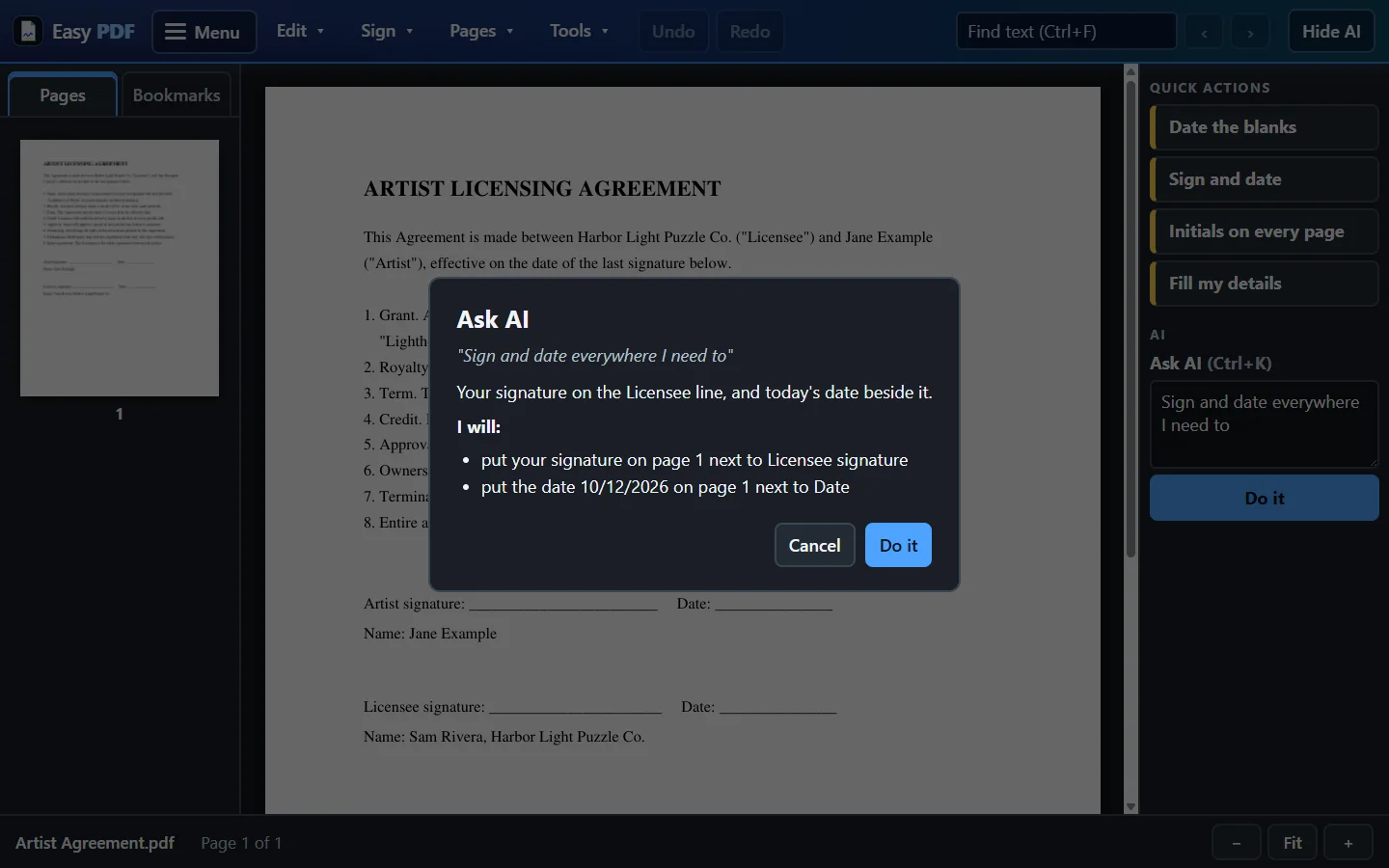
Say what you want in plain words.
Type insert today's date in all the date blanks
or sign and date everywhere I need
to
and press Do it. Easy PDF shows you a list of exactly what it will change first. Nothing
on the page moves until you say yes, and one Undo takes it all back.
- A preview before every change
- One Undo reverses the whole request
- Only used when you ask. The document's text goes to Anthropic's Claude for that request, and Easy PDF tells you so the first time.
Everything else
The PDF jobs an office actually does.
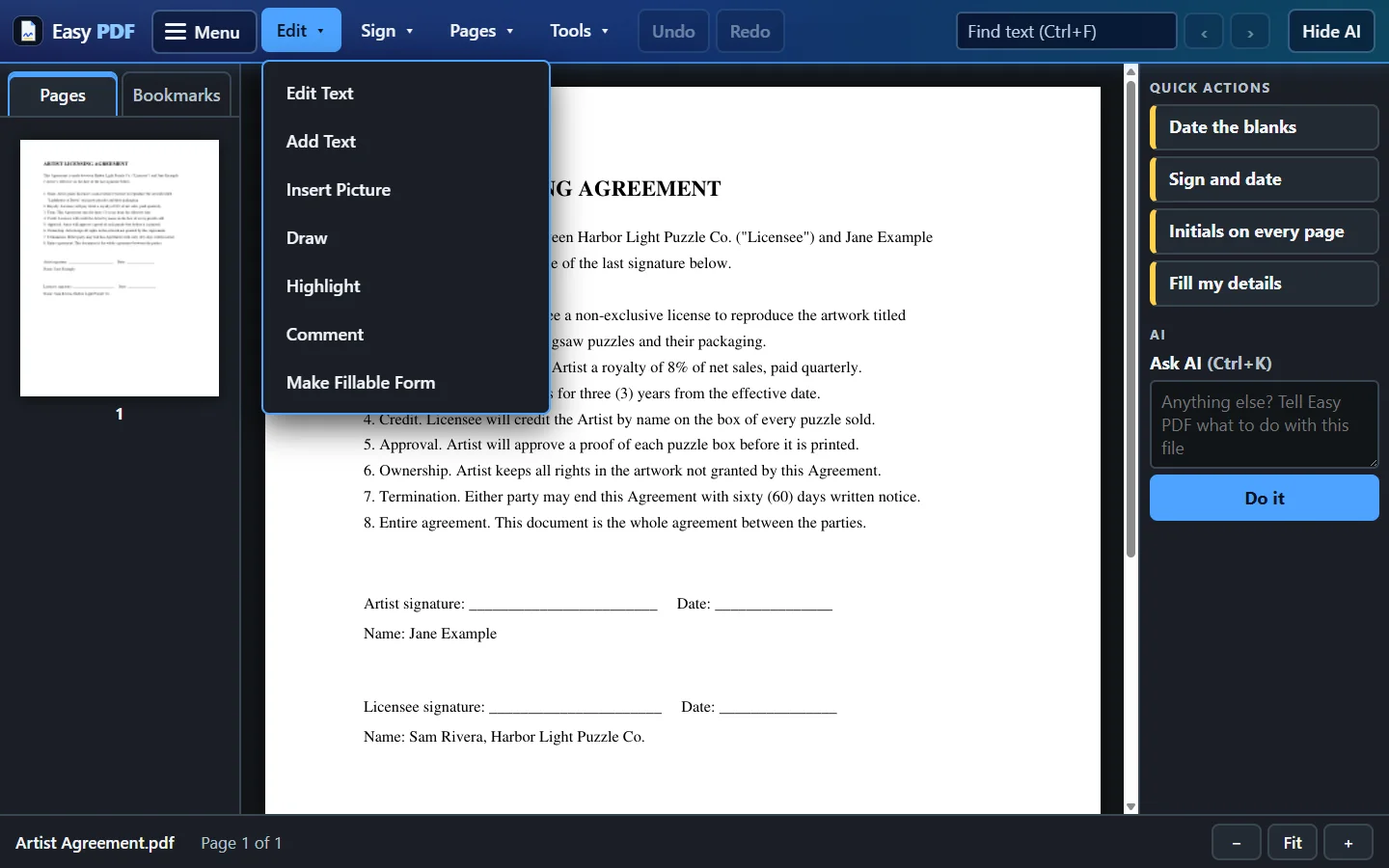
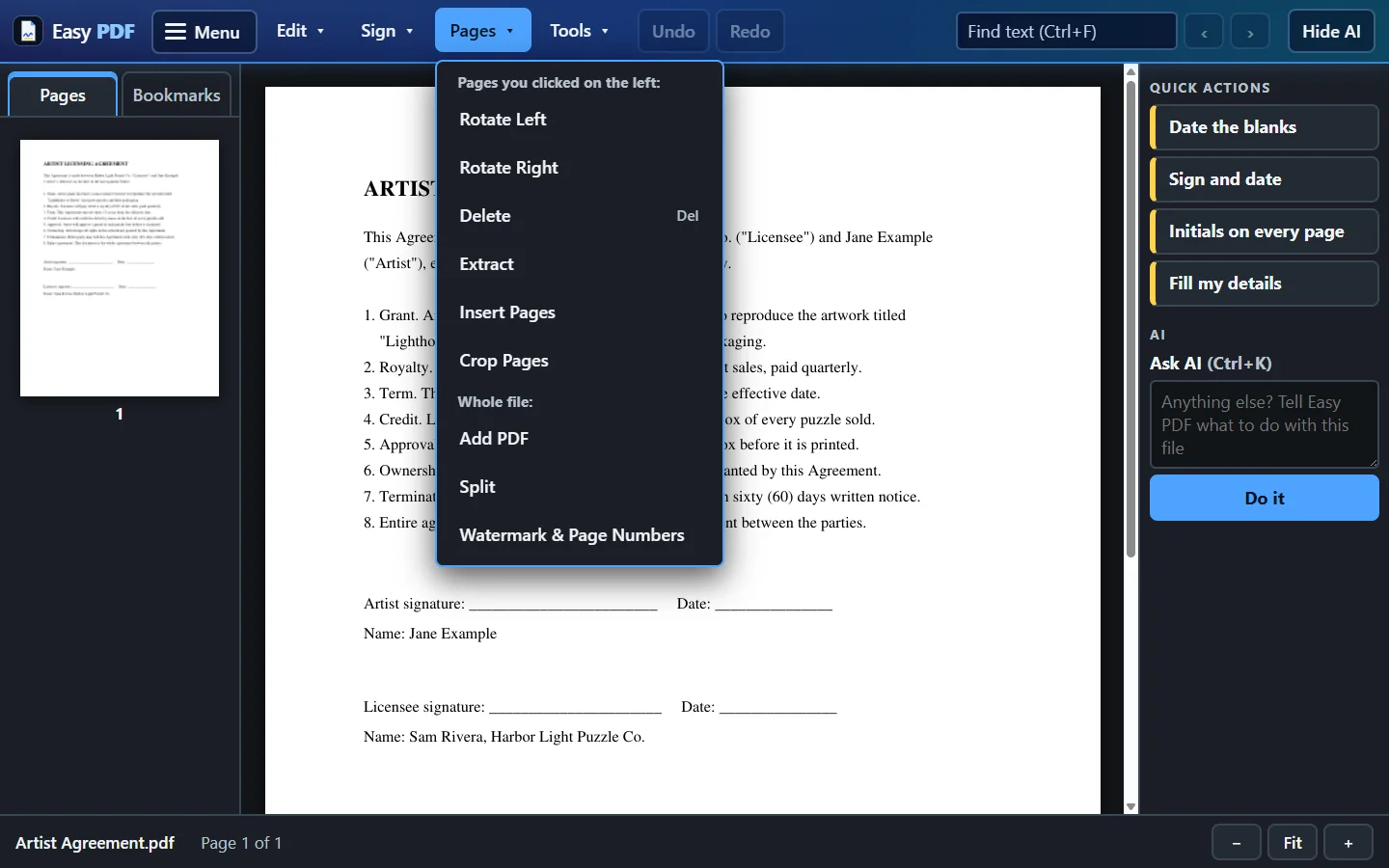
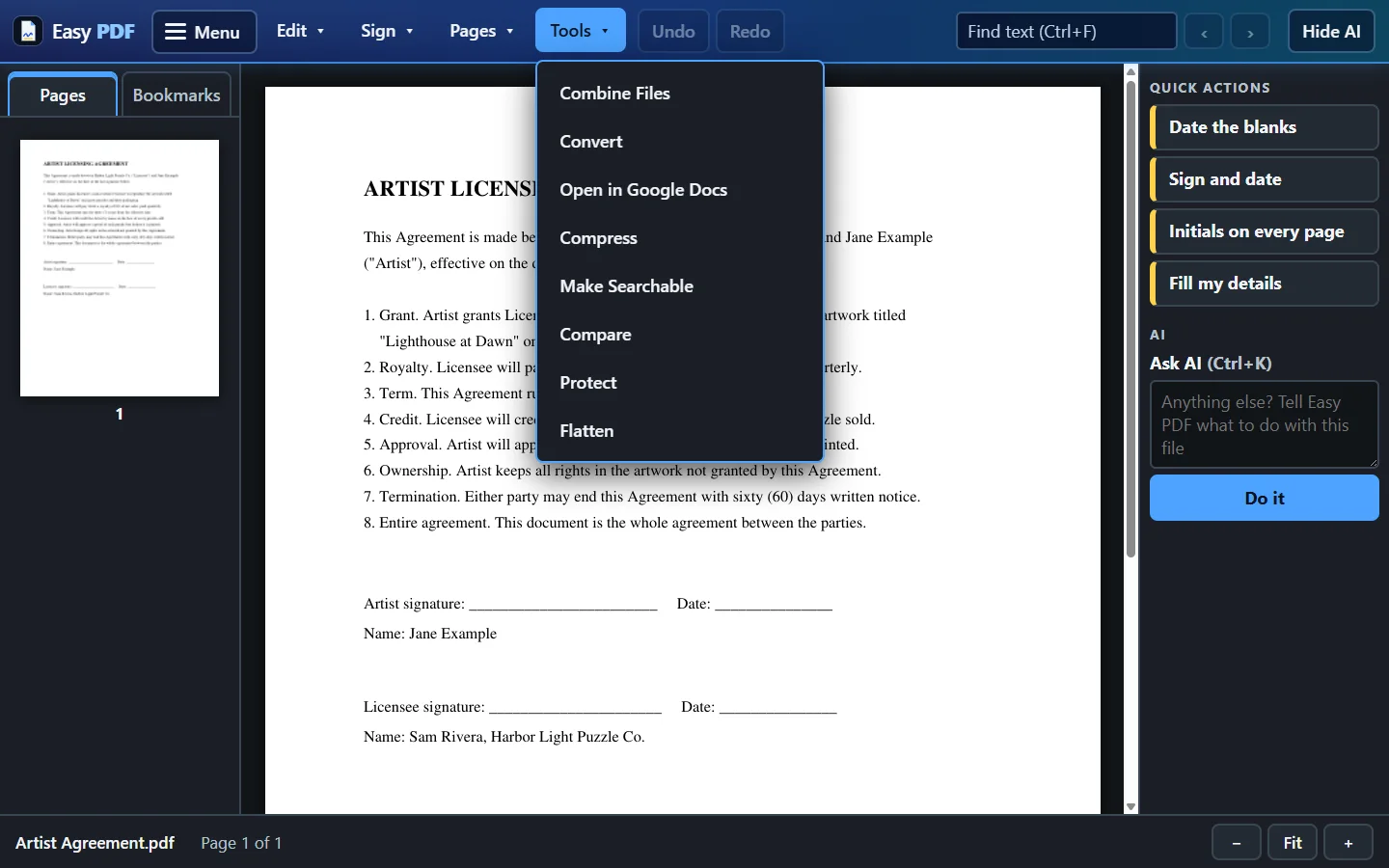
Not a ribbon of hundreds of features. Five menus with words on them: Menu, Edit, Sign, Pages and Tools, and every tool inside is one button that says what it does.
Read
View and find
- Fast, sharp viewing with page thumbnails
- Search the text of any document
- Several files open in tabs
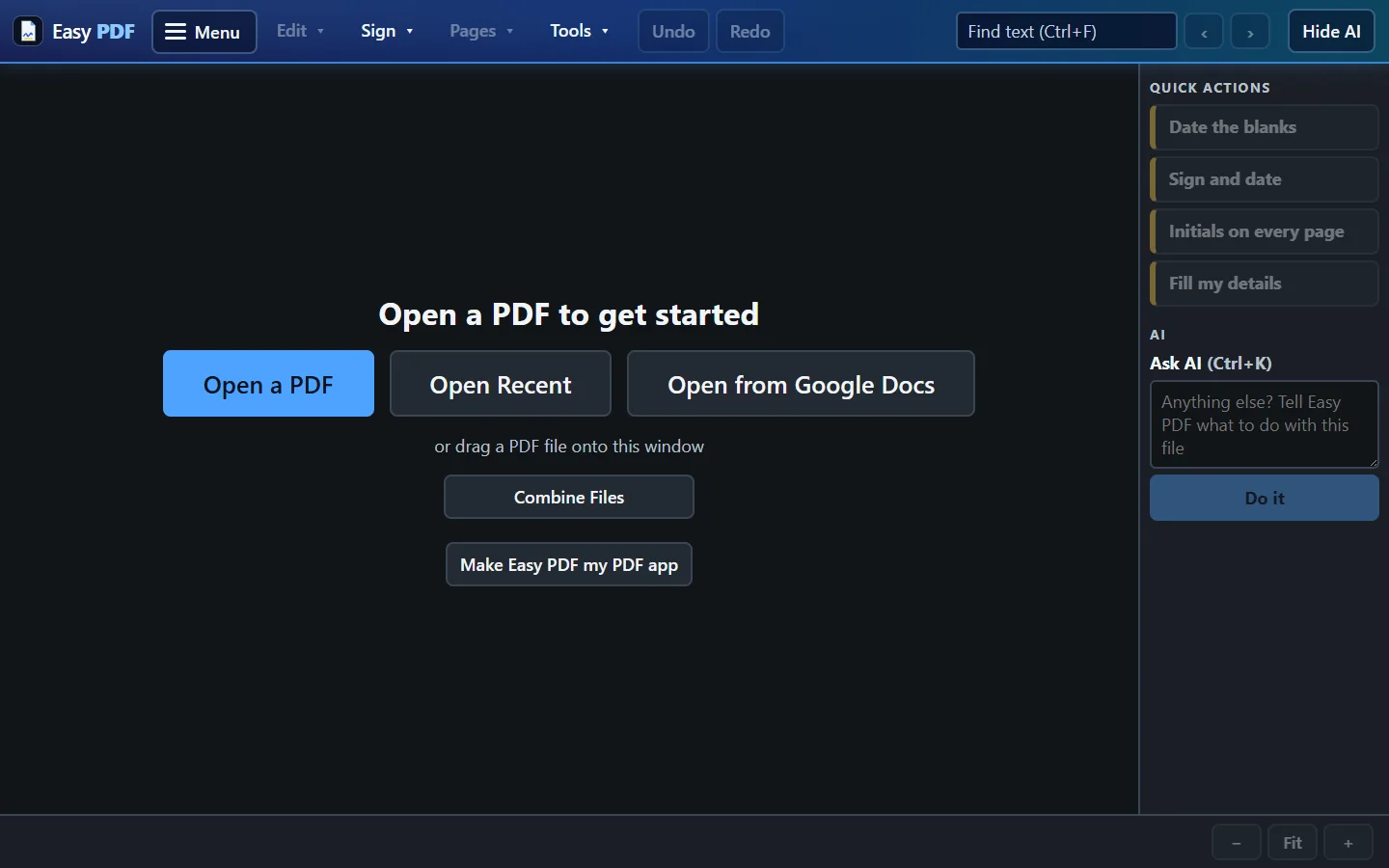
- Recent files, and set it as your PDF app
- Text in any language
Edit
Change what is on the page
- Edit existing text, or add new text
- Comments, highlights, shapes and pen
- Stamps: Approved, Paid, Received and more
- Insert a picture or logo
- Watermark, page numbers, header and footer
- Flatten, so nothing can be changed later
Pages
Put pages in order
- Insert, delete, rotate and reorder pages
- Split one file into several
- Combine files into one PDF
- Crop pages
- Bookmarks
Convert
In and out of PDF
- Word, Excel and pictures to PDF and back
- Compress large files
- Make scanned pages searchable
- Compare two versions side by side
Protect
Forms and passwords
- Add a password, or restrict printing and editing
- Turn any PDF into a fillable form
- Text boxes, check boxes, dates, dropdowns
Share
Gmail and Google Docs
- Email a PDF through Gmail in one click
- Open a Google Doc as a PDF to sign it
- Turn a PDF into a Google Doc you can edit
Made for everyone in the office
No training. No guessing.
- Dark, high contrast, large type. Easy to read on any screen, for any age.
- Words on every button. No toolbar of tiny icons to decode.
- Undo for everything. Every change can be taken back, one step at a time.
- The original is safe. Nothing overwrites your file until you press Save.
Where your files go
Your documents stay on your PC.
Easy PDF is a Windows desktop app. Opening, editing, signing, converting, compressing and comparing all happen on your own computer, and nothing is uploaded to a cloud to do it.
Stays on your PC
- Viewing, editing, pages, stamps and signatures
- Convert, compress, make searchable and compare
- Passwords, forms and flattening
Leaves only when you choose
- Ask AI sends the document's text to Anthropic for that request
- Google Docs sends the file to your own Google Drive
- Send for Signature uses Way Technology's own signing server
- Email goes through your Gmail, and nothing sends until you click Send
How it works
Four steps, and you already know them.
- 1
Open the file
Double-click any PDF. Easy PDF can be your default PDF app, so it opens there. Or open a Google Doc straight from Drive.
- 2
Pick a worded tool
Sign, Date, Stamp, Edit Text, Combine Files. The button says what it does, and the panel on the right says what to do next.
- 3
Check it
See the change on the page. Not right? Undo. Asked the AI? You saw the list before it touched anything.
- 4
Save or send
Save, email it through Gmail, or Send for Signature. Your original is never overwritten without Save.
Compared
One app instead of four.
Before Easy PDF, the same office work was spread across Adobe Acrobat, PDF-XChange Editor, PDFill and Smallpdf. Here is the difference in plain terms.
| What you need | Easy PDF | A mix of PDF tools |
|---|---|---|
| View, edit, sign, convert, combine | All in one window | Spread across several programs and websites |
| Finding the tool | Five worded menus, one button per job | Icon toolbars and ribbons with hundreds of features |
| Signing a contract | One click finds the line and signs it | Place and size the signature by hand |
| Getting a signature back | Built in, on Way Technology's own server | A separate e-signature service |
| Where the file is processed | On your PC | Online tools upload the file to process it |
| Mistakes | Undo for everything; original untouched until Save | Depends on the tool |
| Plain-English requests | Ask AI, with a preview first | Not part of the old setup |
Adobe Acrobat, PDF-XChange, PDFill and Smallpdf are trademarks of their owners and are named only to describe what Easy PDF replaced.
Before you ask
Questions people ask in the demo.
Can I download Easy PDF?
No. Easy PDF is internal software for Way Technology companies. It is built on the MuPDF engine under the AGPL licence, and it is not sold or distributed outside those companies. This page shows what it does; if you would like to see it running, ask for a demo.
Does it upload my documents?
No. Everything happens on your PC. A document leaves only when you choose a feature that needs to send it: Ask AI (text to Anthropic), Google Docs (to your own Drive), Send for Signature (to Way Technology's signing server) or Email (through your Gmail).
Is it hard to learn?
It was built for older and non-technical staff to use without training. Every tool is a big button with a word on it, the text is large, and the panel on the right always says what to do next.
What if I make a mistake?
Press Undo. Every change can be undone, and nothing overwrites your original file until you press Save.
Does it work with Word, Excel and scanned documents?
Yes. Convert turns Word, Excel and pictures into PDFs and back again, and Make Searchable reads scanned pages so their words can be found and copied.
How does Send for Signature work?
Easy PDF places signing boxes on the other party's lines, they get an email link and sign in their browser, and a sealed signed copy comes back. When you open a fully signed contract, Easy PDF offers an Approved stamp and never overwrites the sealed original.
Which AI does Ask AI use?
Anthropic's Claude. It runs only when you ask it something, it shows you exactly what it will change before anything happens, and the first time you use it Easy PDF tells you the document's text will be sent to Anthropic.
Does it run on a Mac?
No. Easy PDF is a Windows app.
Who made it?
Brian Way at Way Technology, built with Claude Code.
Want to see it sign a real contract?
A short demo shows the whole loop: open, sign, date, stamp and send for signature.